"What exactly is in the box" — one image answers it and saves half your support tickets
The flat lay is the most underrated image on a product page: it answers "what's included" and "is it worth the price" at the same time. This template shoots straight down at the list you give it — clean, complete, no extra props. 20 credits, 43 seconds.

If you sell sets, gift boxes or subscription boxes, half your support inbox is the same question: what exactly is inside? Is there a manual? Does the velvet pouch count?
Nobody reads a text list, and a real flat lay has to be arranged, aligned and lit — half an hour per setup. And it's easy to miss things — you look at this stuff every day, so you actually lose count.
The heart of the prompt is one line: "the list is everything"
The template first turns the list into variables: {product} plus {items}, laid out on {surface}, evenly spaced, not overlapping. Then comes the key line of the whole prompt — "That list is complete: add no cable, manual, card or unnamed accessory, and leave nothing out."
That sentence closes off both directions at once: nothing may be added, and nothing may be missing. Then it locks the shape too: "if the item has no handle, no lid and no spout in the photo, the result must not have one either" — if the source has no handle, the result isn't allowed to grow one.
Finally the shooting method: camera parallel to the surface, straight-down top view, edges kept square, every item inside the safe margin, soft daylight, no text, no hands.
The top-down constraint matters more than it looks. An angled source image gets forced flat, and the four corners distort with it — this is the most common way flat lays fail, and it's hard to see when zoomed out, but obvious the moment you zoom in.
Before you start: login and credits
Log in. Open slloy.com, click "Log in" in the top right, enter your email, and type in the 6-digit code. The site only does code-based login, no password — just remember which email you used.
Credits. Generation is charged per run; this one is 20 credits (about $0.13 on the largest plan, up to $0.60 on the smallest). Your balance is in the account panel in the top right — open it to see it; if you're short, the page tells you directly and won't charge you for nothing.
Does this one need an uploaded image first? Yes — it's a "keep the source, change one thing" template. Without an upload you'll get a product the model made up, and the credits are still charged. There's a reference-image upload slot in the left column; just drag your photo in.
What the interface looks like. Once you're in the generator, the left column from top to bottom is: image/video toggle, model (Seedream 5.0 for this one), prompt library (shows "preset loaded" — the template has filled in the wording for you), prompt input box, style presets, aspect ratio (1:1 by default), number of images, and the generate button at the very bottom — on a long page you may need to scroll a little to see it. The right column is the preview area and recent works.
Steps: one hero image + one list
Step 1 — Use case "Sell a product" → "Unboxing flat lay" → Generate this one.
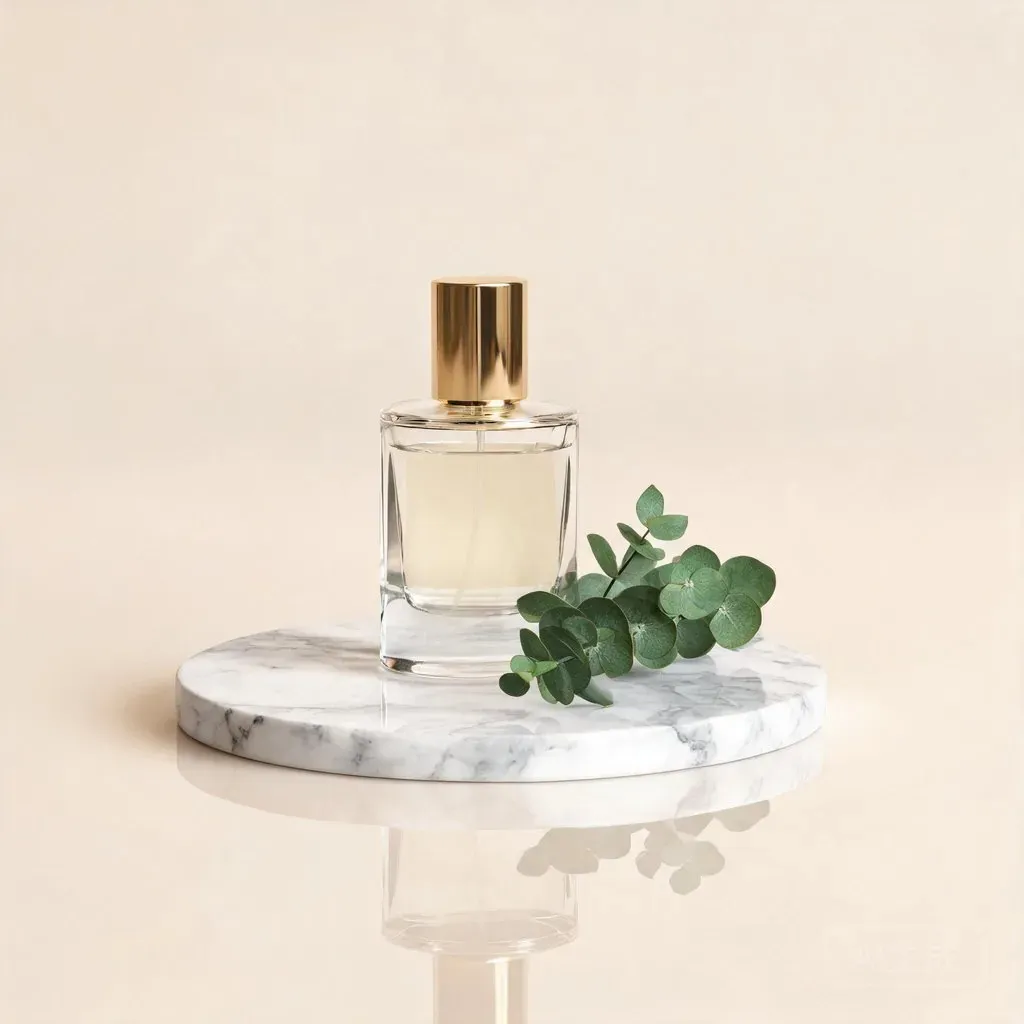
Step 2 — Upload the product hero image. Fill {product} with the product, list the other items in the box one by one in {items} ("a gold cap, a beige velvet pouch, a blank info card"), and write the surface in {surface} ("light gray concrete surface").
Step 3 — 1:1, 20 credits, generate. This run took 43 seconds.
Placeholder cheat sheet
The curly-brace slots in the template are blanks — 3 in total, all of which you need to replace with your own content. Leave them unfilled and the model makes something up. The right column has sentences you can paste straight in; get it running first, then edit.
Four items, not one more, not one less
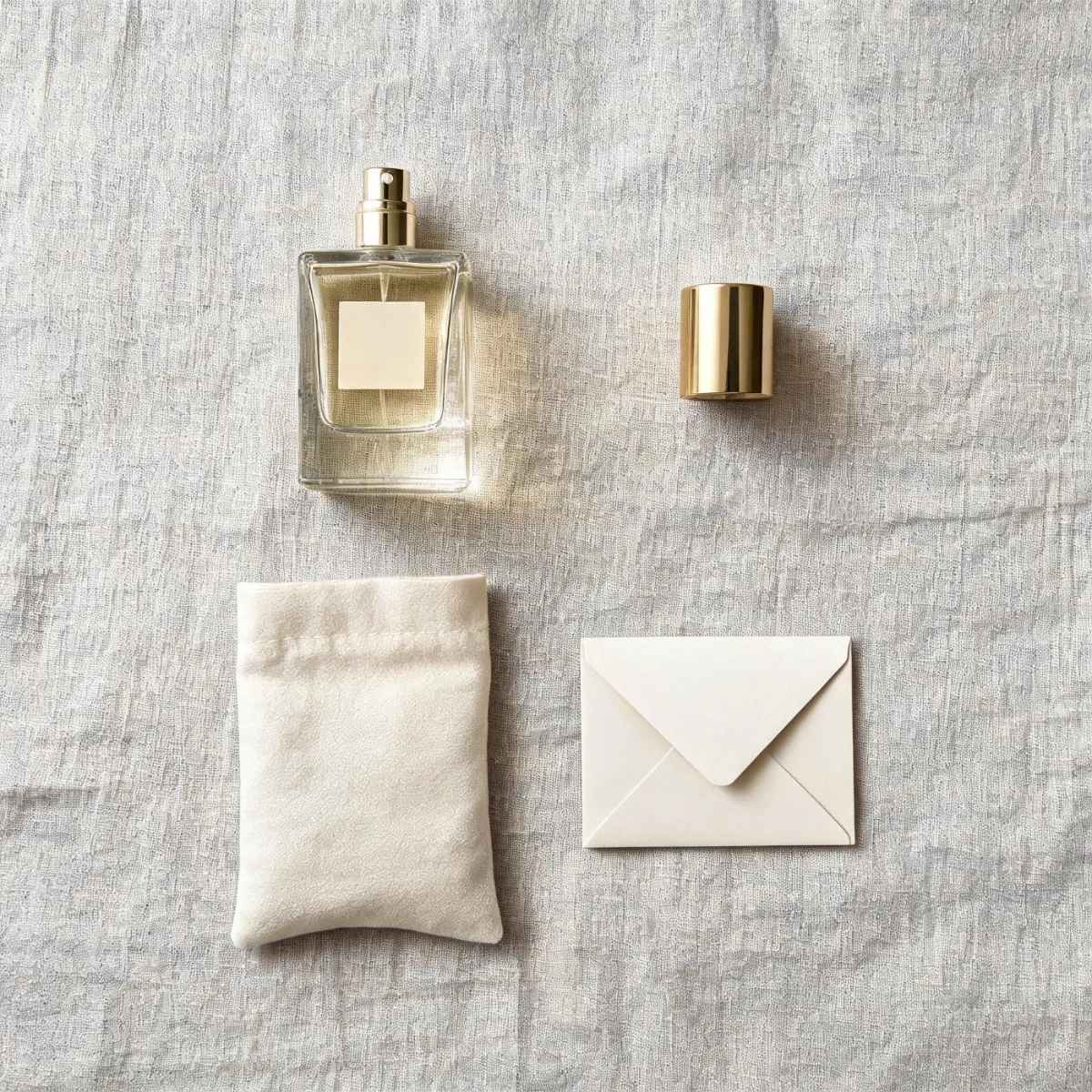
The list named four things: bottle, cap, velvet pouch, info card. The result is exactly four, spread out, not overlapping, each inside the safe margin. The surface texture is consistent, the shadows are soft, and the classic "a manual appeared out of nowhere" error didn't happen.
The silhouette matches too: no extra handle or nozzle on the bottle, and the pouch opening faces a natural direction. It looks minor, but it decides whether the buyer feels "this isn't what the picture showed" when the box arrives.
The two-pass count you must do before publishing
Pass one: count the result against the packing list. One missing = not as described; one extra = false description. Both complaints carry the same weight. The model's "the list is complete" is a constraint, not a guarantee.
Pass two: edit the list against the result. If something in the result is placed especially well and you want to keep it, describe it more specifically; if something always comes out crooked, split it into its own generation and composite it back in.
Also: no hands, no props, no branded cards in a flat lay — all three make buyers think "this comes with the purchase."
After the image comes out: download, check, redo
Don't click again while you wait. This run took 43 seconds. The page shows a placeholder block or a blurry preview first, and the result appears once progress finishes. Clicking "Generate" again charges another 20 credits, and the two jobs queue behind each other.
Download and naming. There's a download button under the result, and what you get is the original at the generated size. Put the use and date in the filename (e.g. etsy-pin-2026-11-15-v1) so you don't have to dig through chat history a week later.
Three checks. One, is the subject's structure distorted (bottle turned into a cylinder, wrong number of fingers, furniture floating off the floor); two, are there typos in any text in the image; three, are there dirty spots or extra props at the edges. If all three pass, leave it alone.
If you're not happy, change one sentence and run again. Don't rewrite the whole thing — a rewrite is a change of direction and throws out all your earlier judgment. Go back to the "two-pass count" section above and change just one sentence the way it describes, then spend another 20 credits on one run. Failed jobs are refunded automatically, but they are not retried automatically — you have to click again yourself.
Cost
- 20 credits per image (about $0.13 on the largest plan, up to $0.60 on the smallest), 43 seconds this run
- A SKU usually takes 2 rounds (first round miscounted, second round filled in), 40 credits
- For comparison: a real flat-lay shoot is $80–200, with half an hour of setup minimum
- Bonus: this image can go straight into your support templates to answer "what's included"
Related posts
Cinematic rainy neon: an image with a story, no photographer needed
2026-11-15 · Tutorials · 5 min read
Need a product image before you've shot anything: studio-grade shot, 20 credits
2026-11-15 · Tutorials · 5 min read
Studio portrait: 85mm, soft light, real pores, no plastic look
2026-11-15 · Tutorials · 4 min read