The ugliest thing on a company team page is five headshots in five different styles
One person uses a hiking photo, one a conference-room selfie, one a gray-background ID shot. Side by side, the company looks like it was just assembled. This template unifies background and light so the five look like they were shot the same day. 20 credits, 36 seconds per person.

Organizing a full-team studio shoot means coordinating schedules, finding a photographer, booking a space — costs start at $1,000, and you still have to wait until everyone is free.
Remote teams have it worse — people in three time zones, never all available at once. The result is a team page with five kinds of light, five kinds of background, five kinds of framing.
The prompt does only two things, but it does them cleanly
Unify the background: "place them against {background} seamless backdrop — one flat tone edge to edge, no gradient and no visible corner." One solid color, edge to edge, no gradient, no visible wall corner. All three requirements are written together so you don't get that cheap "seamless paper with a visible corner" look.
Unify the light: "match the lighting to a soft frontal key with a subtle fill" — a soft frontal key light plus a slight fill. This is the most forgiving lighting setup: it doesn't emphasize bone structure, doesn't magnify wrinkles, and flatters everyone.
Preserve identity: eyes, hairline, moles, jawline, skin texture and pores, listed one by one.
Explicitly not done: no redrawing, no skin smoothing, no reshaping the face, no added makeup, no inventing different clothes. That last one matters — it hands responsibility for wardrobe back to you.
The closing line, "Consistent scale and lighting so it sits alongside other team photos without looking pasted in": consistent scale and light are what let the images sit side by side without giving themselves away. That's the core ask of a "team set."
Before you start: sign-in and credits
Sign in. Open slloy.com, click "Sign in" in the top right, enter your email, and type in the 6-digit verification code. The site only supports code-based sign-in, no password — just remember which email you used.
Credits. Generation is charged per run; this one is 20 credits (about $0.13 on the largest plan, up to $0.60 on the smallest). Your balance is in the account panel in the top right — open it to see it. If the balance is too low, the page tells you directly; you won't be charged for nothing.
Do you need to upload an image first? Yes — this is a "keep the original, change one thing" template. Without an upload you'll get a product the model made up, and credits are still deducted. The left column has a reference-image upload slot; just drag your photo in.
What the interface looks like. Once you're in the generator, the left column from top to bottom is: image/video toggle, model (Seedream 5.0 for this one), prompt library (shows "preset loaded" — the template has filled in the wording for you), prompt input box, style presets, aspect ratio (4:5 by default), number of images, and at the very bottom the generate button — on a long page you may need to scroll down a bit to see it. The right column is the preview area and recent works.
How to run it: same prompt, N times
Step 1 — Use case "retouch a headshot" → "unified team headshots" → generate the same.
Step 2 — Upload one colleague's photo, fill {background} with the unified background color ("neutral light gray"). Generate.
Step 3 — Swap in the next person's photo, without changing a single word of the prompt, and generate again. 20 credits per person, 36 seconds this time.

Placeholder cheat sheet
The template has 1 slot wrapped in curly braces, and you need to replace all of them with your own content — leave one blank and the model will make something up. The right column has sentences you can paste in directly; get it running first, then adjust.
Safe to place side by side, no giveaways
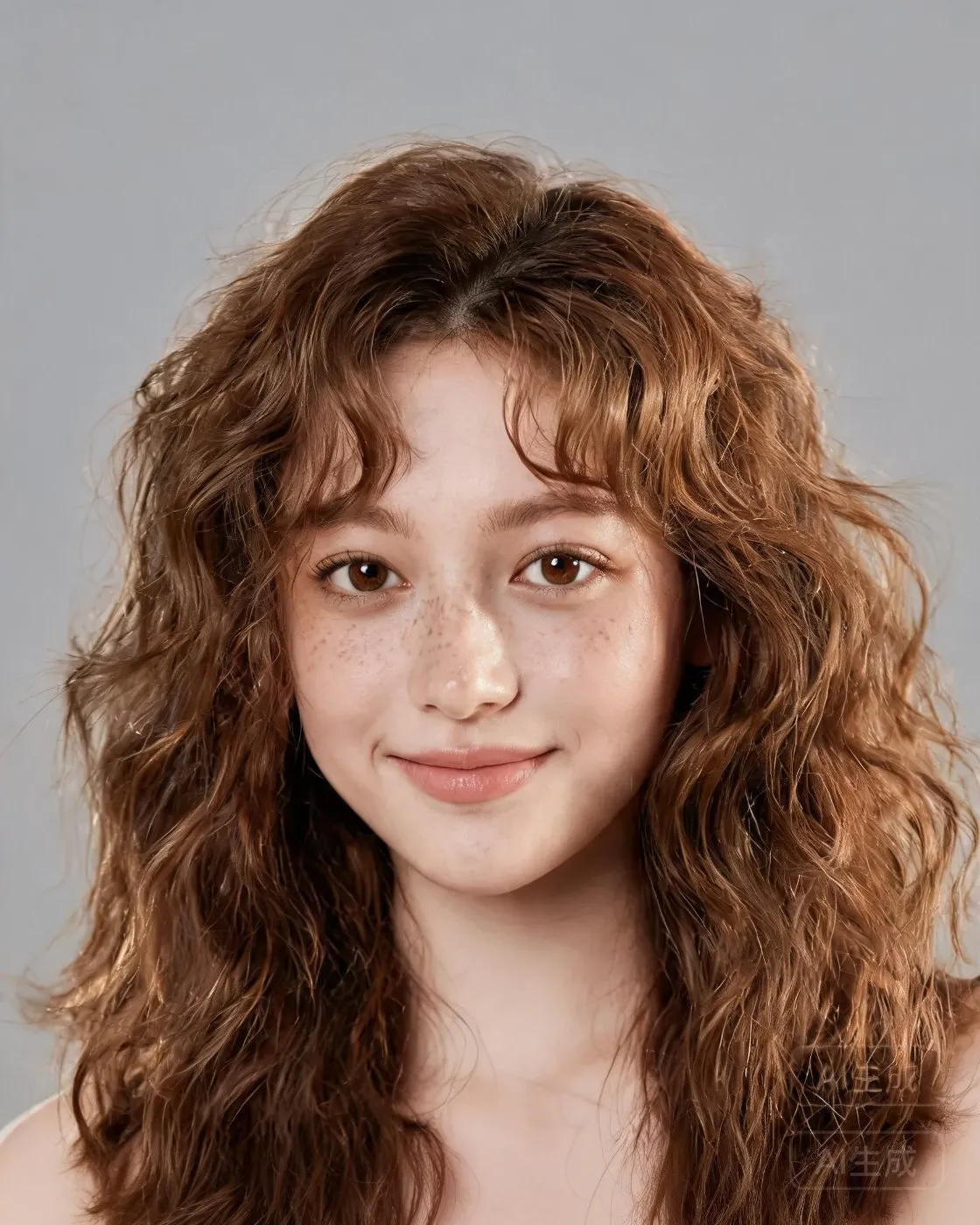
The background is one solid block of neutral gray, edge to edge, with no gradient and no wall corner — that's the hardest part, and it's where most team sets fail: that visible fold line in the backdrop paper. The light comes from the front, so there are no strange shadows on the face, and everyone looks good.
The 4:5 ratio is consistent, so the images won't sit unevenly in a website grid. Skin tone, hairstyle, and facial features are all preserved — they still look like the person.
Four things you must do before going live
Step 1 — Be consistent when shooting. Have everyone use the same distance, the same angle (eyes level), and clothing in the same color family. The template doesn't change clothes — what they wear is what comes out.
Step 2 — Don't change a word of the prompt. Only swap the reference image. Change one word (say, "light gray" to "gray") and the color temperature can drift.
Step 3 — Check them side by side. Put all the finished images in one row and check three things: same background color, same light direction, same face scale. Rerun any that don't match.
Step 4 — Unify the crop. The template doesn't unify framing, so finish by cropping everything to 4:5 with the same head size in an image tool. Ten minutes here makes a big difference.
- 20 credits per person, 36 seconds this time; a 10-person team = 200 credits, about $1.3–12
- For comparison: a full-team studio shoot is $1,000–3,000, plus coordinating three time zones
- Bonus: this set works for the website, LinkedIn, proposal covers, and conference name badges
- Note: for remote teams, get each person's permission to use their photo first
After the images come out: download, review, redo
Don't click repeatedly while you wait. This takes 36 seconds. The page shows a placeholder block or blurry preview first; the finished image appears when progress completes. Clicking "Generate" again deducts another 20 credits, and the two jobs queue behind each other.
Download and naming. There's a download button below the finished image; what you get is the original at generation size. Put the use and date in the filename (e.g. etsy-pin-2026-11-15-v1) so you don't have to dig through chat logs a week later.
Three checks. One, is the subject's structure distorted (a bottle turned into a cylinder, the wrong number of fingers, furniture floating off the floor); two, are there typos in any text in the image; three, are there dirty spots or stray props at the edges. If all three pass, you're done.
If you're not happy, change one sentence and rerun. Don't rewrite the whole thing — a rewrite means a new direction and throws out all your earlier judgment. Go back to the "Safe to place side by side, no giveaways" section above and change just one sentence the way it describes, then spend another 20 credits on one more run. Failed jobs are refunded automatically, but they are not retried automatically — you have to click again yourself.
Related posts
Cinematic rainy neon: an image with a story, no photographer needed
2026-11-15 · Tutorials · 5 min read
Need a product image before you've shot anything: studio-grade shot, 20 credits
2026-11-15 · Tutorials · 5 min read
Studio portrait: 85mm, soft light, real pores, no plastic look
2026-11-15 · Tutorials · 4 min read