A six-word line gets shared more than a retouched photo
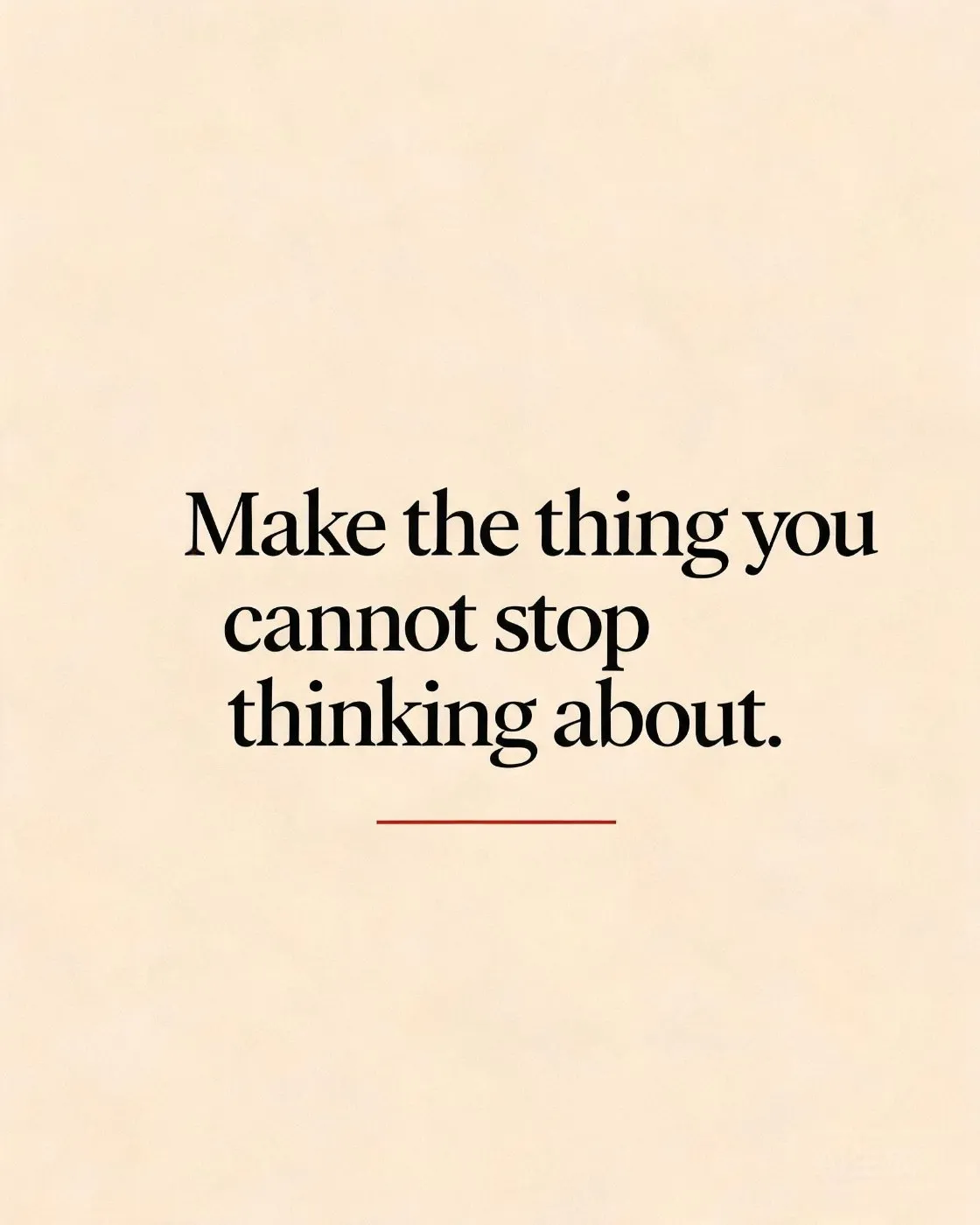
The most-shared images on LinkedIn and Instagram often have no photo at all: a solid background, one line of text, one thin rule. This template is built for exactly that, and in testing not a single English letter came out wrong. 20 credits, 30 seconds.

Quote cards look like the easiest thing in the world, but they're actually the hardest: the type has to be straight, the spacing even, the whitespace generous, the color restrained. Make one from a Canva template and it reads as a template at a glance; hire a designer and it's $30–80 a card.
And "getting AI to write text" has been a running joke for the past two years — it draws symbols that look like English.
The prompt turns "don't improvise" into six rules
First, list everything you don't want: "no photograph and no scenery," then a string at the end: no logo, no watermark, no border, no decoration, no second text block, no drop shadow.
Then lock the layout: "centred both horizontally and vertically with generous margins on all sides, and one short {accent} horizontal rule below the text." Centered, generous margins on all four sides, one short rule underneath.
Then the core of the whole prompt: "Render the lettering exactly as written — every letter, space and punctuation mark, correct spelling, even letter spacing, no extra words, no duplicated, mirrored or missing characters."
Named one by one: every letter, every space, every punctuation mark, correct spelling, even letter spacing, no extra words, no duplicates, no mirroring, no dropped characters. It reads verbose, but it's the direct cause of the zero-typo result.
Finally, control the contrast: "One near-black ink colour with strong contrast against the background," and explicitly "don't set the text in the accent color" — the accent color goes only to that rule.
"Keep the whole quote inside a 10% safe margin": keep text out of the outer 10% on all four sides. When the image gets cropped differently on each platform, this line saves you.
Before you start: sign-in and credits
Sign in. Open slloy.com, click "Sign in" in the top right, enter your email, and type in the 6-digit code you receive. The site only supports code-based sign-in, no password — just remember which email you used.
Credits. Generation is charged per run; this one is 20 credits (about $0.13 on the largest plan, up to $0.60 on the smallest). Your balance is in the account panel in the top right — open it to see it; if you're short, the page tells you up front and won't charge you for nothing.
Do you need to upload an image first? No — the prompt is complete on its own, so leave the upload box empty. Uploading an extra image only makes it harder for the model to know which one to follow.
What the interface looks like. Once you're in the generator, the left column from top to bottom is: image/video toggle, model (Seedream 5.0 for this one), prompt library (shows "preset loaded" — the template has already filled in the wording for you), prompt input box, style presets, aspect ratio (4:5 by default), number of images, and at the very bottom the generate button — on a long page you may need to scroll down a little to see it. The right column is the preview area and recent works.
Doing it: fill in four things
Step 1 — Use case "social media post" → "quote card" → generate the same.
Step 2 — Put the line in {quote} (six words or fewer), the background color in {background}, the typeface character in {typeface} ("high-contrast serif, headline weight"), and the rule color in {accent}.
Step 3 — 4:5, 20 credits, generate. This time it took 30 seconds.
Placeholder cheat sheet
The template has 4 slots wrapped in curly braces, and all of them need to be replaced with your own content — leave one blank and the model will make something up. The right column has lines you can paste straight in; get it working first, then customize.
Zero typos — the most counterintuitive part
Read letter by letter: every letter, space and punctuation mark is correct, spacing is even, no mirrored characters, no duplicates, nothing dropped. The serif's thick-thin stroke contrast is normal — not the fake lettering that "looks like a serif but is actually a blur."
The rust-red rule sits below the text, restrained in color and about a third of the text width, so it doesn't compete visually. Margins are even on all four sides, and the line is still legible shrunk down to a phone screen.
Three conditions for reliable results
Step 1 — Keep the line short. Six words or fewer, ideally one line. Go past one line and it wraps, and the model decides where — you often get "last word alone on its own line" or "a word split in two."
Step 2 — Describe the typeface's character, not its name. Write "Helvetica" and it may not recognize it; write "high-contrast serif, headline weight, tight letter spacing" and it's steadier.
Step 3 — Proofread letter by letter. Especially look-alike pairs like i/l/1 and rn/m. Generate four at once and pick the one with the cleanest lettering — cheaper than retouching.
An alternative: if you want a whole set of quote cards in one consistent style, use this to generate only the "background + rule layout" and set the text yourself in design software — the layout stays consistent and the text can never be wrong.
After the image comes out: download, check, redo
Don't click again while you wait. This one took 30 seconds. The page shows a placeholder block or blurry preview first, and the finished image appears once progress completes. Clicking "generate" again charges another 20 credits, and the two jobs queue behind each other.
Download and name. There's a download button below the result, and what you get is the original at the generated size. Put the use and date in the filename (e.g. etsy-pin-2026-11-15-v1) so you don't have to dig through chat logs a week later.
Three checks. One, is the main structure distorted (bottle turned into a cylinder, wrong number of fingers, furniture floating off the floor); two, is there any typo in the text in the image; three, are there dirty spots or extra props at the edges. Pass all three and you're done.
Not happy? Change one sentence and rerun. Don't rewrite the whole thing — a rewrite is a change of direction and throws out all your earlier judgment. Go back to the "Zero typos — the most counterintuitive part" section above and change just one sentence the way it describes, then spend another 20 credits on one more run. Failed jobs are refunded automatically, but they are not retried automatically — you have to click again yourself.
- 20 credits per image (about $0.13 on the largest plan, up to $0.60 on the smallest), 30 seconds this time
- Five quote cards a week = 100 credits, about $0.7–3
- For comparison: a designer charges $30–80 per card, and a Canva template looks fake at a glance
- Note: AI-generated images have limits on U.S. copyright registration — read the platform terms before commercial use
Related posts
Cinematic rainy neon: an image with a story, no photographer needed
2026-11-15 · Tutorials · 5 min read
Need a product image before you've shot anything: studio-grade shot, 20 credits
2026-11-15 · Tutorials · 5 min read
Studio portrait: 85mm, soft light, real pores, no plastic look
2026-11-15 · Tutorials · 4 min read