The old photo is restored, but it's still
A black-and-white photo of your grandparents, a picture of your parents when they were young, a graduation photo that's already yellowed — once the color is fixed, you always want to make the image "come alive" a little. But too much motion turns it into a ghost video. This template does exactly one thing: blink once. 30 credits, 5 seconds.

The old-photo "revival" trend was popular for a while, and the most common complaint in the comments was "too fake": the head turns, the mouth smiles, the shoulders rise and fall, like a wax museum.
When a real person sits still for a photo, the only thing that moves is the eyes. To make it believable, you have to move only that one place.
The prompt is written as "one action + a long list of prohibitions"
The only action: "exactly one motion: a single natural blink, starting around the second second and done by the fourth". One action, one blink, starts at second 2, done by second 4. Every time point is hard-coded.
The mouth is locked shut the whole time: "The mouth stays closed, lips together, the whole time: no smile, no lip movement, no pout, no jaw movement, no eyebrow lift". No smiling, no lip movement, no pouting, no jaw movement, no eyebrow lift.
Why is this section so long? Because the template notes include a tested conclusion: the model tends to add a smile, a pout, or an open mouth on its own, and if you don't ban each one, what comes out is a "creepy smile".
The head must not turn: "The head faces the camera with no rotation at all", straight on, no turning into a three-quarter profile.
The body must not move: "The chest, shoulders and hair do not move, so there is no visible breathing". Chest, shoulders and hair all stay still, not even a breathing rise and fall.
The last sentence handles image quality: "Keep the original grain, tone, contrast and framing" — keep the original grain, tone, contrast and framing. The texture of an old photo is the content itself and must not be "restored" away.
Before you start: login and credits
Log in. Open slloy.com, click "Log in" in the top right, enter your email, and type in the 6-digit verification code. The site only supports code login, no password — just remember which email you used.
Credits. Generation is charged per run, and this one is 30 credits (about $0.19 on the largest plan, up to $0.90 on the smallest). Your balance is in the account panel in the top right; open it to see it. If the balance is too low the page tells you directly, so you won't be charged for nothing.
Do I need to upload an image first? Yes — this is a "keep the original image, change only one thing" template, and without an image you'll get a product the model made up, with credits still charged. There's a reference image upload slot in the left column; just drag your photo in.
What the interface looks like. Once you're in the generator, the left column from top to bottom is: image/video toggle, model (this one is Wan 2.2 I2V · Silent), prompt library (shows "preset loaded", the template has already filled in the prompt for you), prompt input box, style presets, aspect ratio (16:9 by default), number of images, and at the very bottom the generate button — on a long page you have to scroll down a bit to see it. The right column is the preview area and recent works.
How to do it: one solo photo, one blank
Step 1 — Switch the generator to "Video" and choose Wan 2.2 image-to-video (30 credits).
Step 2 — Upload an old photo: one person, clear face, whole head inside the frame. {photo} refers to this photo itself.
Step 3 — 16:9, submit. This run took 37 seconds.
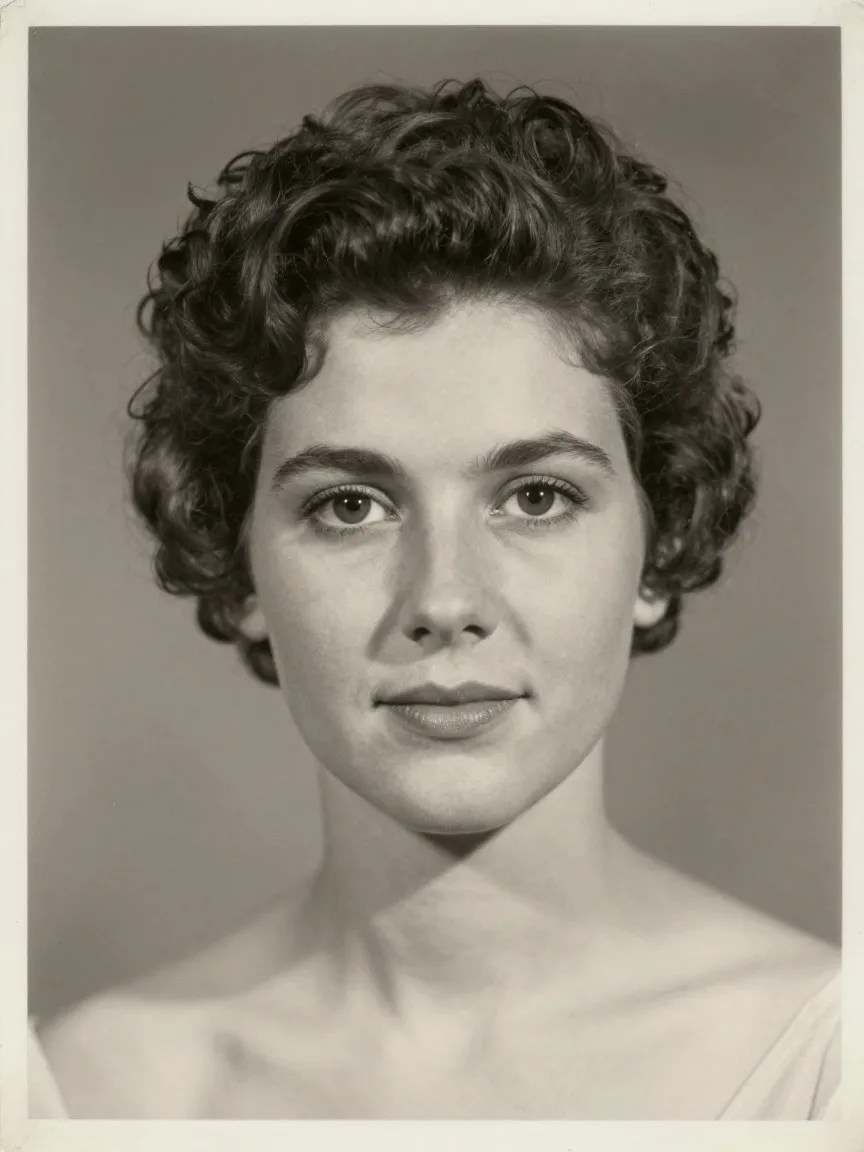
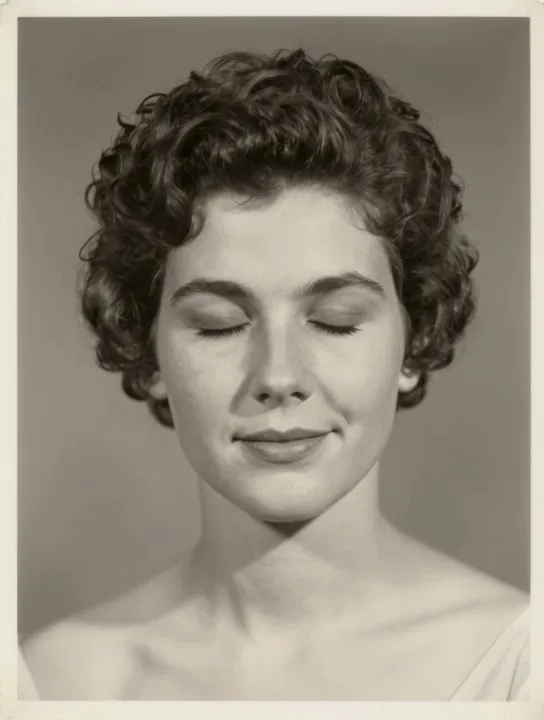
Placeholder copy sheet
The parts wrapped in curly braces in the template are blanks, 1 in total, and all of them need to be replaced with your own content — leave one unfilled and the model will make something up. The right column has sentences you can paste in directly; get it working first, then edit.
Only the eyes moved, nothing else did
The eyelids start to close around second 2 and open at second 4, with about a second and a half of closed eyes in between. The head doesn't turn, the shoulders don't rise and fall, not a strand of hair moves, and the mouth stays closed the whole time.
The image keeps its original grain and contrast — it doesn't get sharper, there's no "restored" feel — and that's exactly why it's believable. It looks like a photo that breathes, not an AI animation.
What failure looks like, and how to rerun
The mouth moved. A smile, a pout, an open mouth — this is the most common failure. If it happens, rerun; don't accept it. On the rerun you can move the "mouth" section earlier and give it more weight.
The head turned. It becomes a three-quarter profile, the facial structure shifts with it, and it's obviously fake. Rerun and write "no rotation at all" more explicitly.
Too many actions. A blink + a smile + breathing all at once. That means the prompt was edited (for example, you added "gentle smile") — delete it and start over.
The image quality got "restored". The grain disappears and the face goes smooth. Move "Keep the original grain" earlier in the prompt.
One honest note: this one has a fairly high failure rate, because "move only one thing" is inherently against the model's instincts. Go in expecting to run it 2–3 times.
- 30 credits per run (about $0.20–0.90), this run took 37 seconds
- It usually takes 2–3 runs to get one "blink only" result, so budget 60–90 credits
- For comparison: old-photo motion restoration services charge $20–60 per clip
- Commercial use is allowed, and the copyright to the original photo stays with you; best suited to memorial videos and family gifts
After the video is out: download, check, rerun
Check the status first, don't rush to click again. After submitting it shows queued first, then processing, and only then the finished video. This run took 37 seconds. If nothing happens, don't click generate again — you'll be charged 30 credits twice.
Download. The finished video is a 5-second mp4, and the download button is below the player; save it and you get the original resolution. The first frame is locked to the image you uploaded, so you don't need to make a cover separately.
Three checks. One, whether the first frame matches the original; two, whether the only motion is the one you asked for (reject any extra motion); three, whether the end can loop back to the start — drag the player to the last frame and compare it with the first; if they don't connect, it will jump.
If you're not happy, rerun — don't change too much. Video is more random than images, and the same prompt can give different results twice. When you edit, change only one sentence and keep the rest as is; if the same problem shows up twice in a row, the prompt is heading the wrong way — go back to the "What failure looks like, and how to rerun" section above and adjust it the way described there.
Related posts
Cinematic rainy neon: an image with a story, no photographer needed
2026-11-15 · Tutorials · 5 min read
Need a product image before you've shot anything: studio-grade shot, 20 credits
2026-11-15 · Tutorials · 5 min read
Studio portrait: 85mm, soft light, real pores, no plastic look
2026-11-15 · Tutorials · 4 min read