Print-on-demand wall art: the image is the only cost
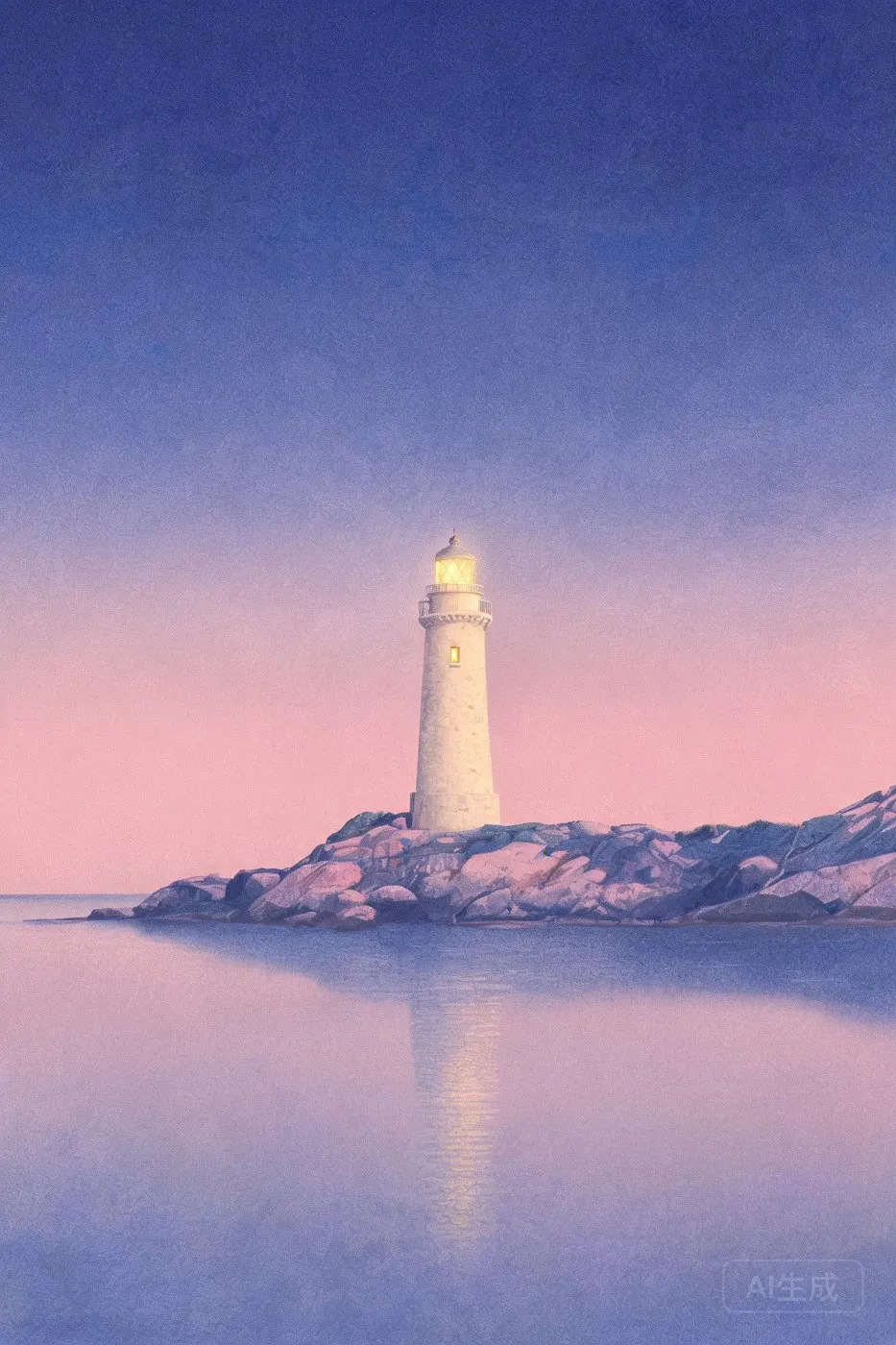
An A4 wall art print sells for $18–45 on Etsy, printing costs $4–8, and the rest is all image. This template outputs at 2:3, with smooth tonal transitions and a 2350-pixel long edge — A5 and A4 both print directly. 20 credits, 43 seconds.

The POD wall art business model is simple: one image, printed unlimited times, with marginal cost only paper and postage. The hard part is the image — buying licenses is expensive, shooting your own doesn't fit, and hiring a designer starts at $100.
And print requirements differ from screen requirements: an image that looks refined on screen may come out with noise, banding, and compression artifacts when printed.
The prompt is all print parameters
Aspect ratio and composition: "a vertical two-by-three frame edge to edge, with the subject centred and generous breathing room around it so the picture still holds together when cropped to A5 or A4". 2:3 vertical, subject centered, whitespace around it — the whitespace is so it doesn't fall apart when cropped to A5/A4.
What to explicitly exclude: "free of lettering, signatures, watermarks, frames, mats, mock-up walls and drop shadows — it is the artwork itself, not a photograph of a framed print". No text, signatures, watermarks, frames, mats, mock-up walls, or drop shadows. This sentence separates "the artwork" from "a product photo".
Print quality: "tonal shifts smooth enough to survive enlargement: no halftone dots, no film grain, no compression artefacts, no hairline detail finer than one millimetre at A4". Tonal shifts must be smooth enough to enlarge, with no halftone dots, no film grain, no compression artifacts, and no detail finer than 1 millimeter.
Texture: "Matte, pigment-on-paper feel, no gloss, no vignette" — matte, pigment-on-paper feel, no gloss, no vignette.
The "1 millimetre at A4" threshold is very practical: any line finer than 1 millimeter will break when enlarged for print. It quantifies "detail density".
Before you start: login and credits
Log in. Open slloy.com, click "Log in" in the top right, enter your email, and enter the 6-digit verification code. The site only supports code-based login, no password — just remember which email you used.
Credits. Generation is charged per run; this one is 20 credits (about $0.13 on the largest plan, up to $0.60 on the smallest). Your balance is in the account panel in the top right — open it to see it; if the balance is insufficient the page will tell you directly and won't charge you for nothing.
Do I need to upload an image first for this one? No — the prompt is complete as described, leave the upload box empty. Uploading an extra image actually makes it unclear which one the model should follow.
What the interface looks like. After entering the generator, the left column from top to bottom is: image/video toggle, model (Seedream 5.0 for this one), prompt library (shows "preset loaded", the template has already filled in the words for you), prompt input box, style presets, aspect ratio (default 2:3), number of images, and at the very bottom the generate button — on a long page you may need to scroll down a bit to see it. The right column is the preview area and recent works.
Steps: fill in three things
Step 1 — Use case "make a printable image" → "wall art you can print directly" → generate the same.
Step 2 — Fill {subject} with the subject ("a pine forest in mist with a small path"), {palette} with the palette ("grey-green, mist white, warm grey"), and {mood} with the mood ("quiet, early morning").
Step 3 — 2:3, 20 credits, generate. This run took 43 seconds.
Placeholder cheat sheet
The template uses curly braces to mark blanks — 3 in total, all of which you need to replace with your own content. If you leave them unfilled, the model will make something up. The right column has sentences you can copy in directly; get it working first, then change them.
Still clean when enlarged to A4
The sky gradient shows no banding breaks — this is where print images most often fail: steps invisible on screen become horizontal stripes on paper. The leaf edges are soft, with no sharp thin lines that would break.
Overall it has a matte paper feel, no highlights, no vignette. As "a picture for the wall," it holds up.
Size, upscaling, copyright
The truth about size: long edge is about 2350 pixels. A5 (1748×2480 at 300dpi) is just enough; A4 (2480×3508) is slightly short but fine for the wall; anything A3 or larger must be upscaled first.
How to upscale: use Photoshop's "Preserve Details 2.0" to enlarge to 200% and add a little sharpening; or use a tool like Topaz Gigapixel directly. Don't just drag it larger — it'll go blurry.
Copyright red lines: don't generate recognizable characters, brand logos, or celebrity likenesses. Abstract, landscape, botanical, and geometric subjects are safest. Don't let it add a signature either — the template already bans it, but don't write "signed" in your own prompt.
Pricing reference: A4 wall art on Etsy sells for $18–45, printing + shipping is $6–10, and one image can sell unlimited times.
After the image comes out: download, check, rework
Don't click repeatedly while waiting. This run took 43 seconds. The page will first show a placeholder block or blurry preview, and only when progress completes is it the finished piece. Clicking "Generate" again charges another 20 credits, and the two jobs will queue behind each other.
Download and naming. There's a download button below the finished piece; what you get is the original at the generated size. When saving, put the use and date in the filename (e.g. etsy-pin-2026-11-15-v1) so you don't have to dig through chat history a week later.
Three checks. One, is the subject structure distorted (bottle turned into a cylinder, wrong number of fingers, furniture floating off the ground); two, are there typos in any text in the image; three, are there dirty spots or extra props at the edges. If all three pass, you don't need to touch it.
If you're not satisfied, change one sentence and run again. Don't rewrite the whole thing — rewriting means changing direction and throwing away all your earlier judgment. Go back to the "Still clean when enlarged to A4" section above, change only one sentence the way described there, and spend another 20 credits on one more run. Failed jobs are refunded automatically, but are not retried automatically — you need to click again yourself.
- 20 credits per image (about $0.13 on the largest plan, up to $0.60 on the smallest), 43 seconds this run
- A series of 6 images (same palette, different subjects) = 120 credits, about $0.8–7
- For comparison: art print licensing is $20–100 per image; illustration commissions are about $150–500
- Selling point: three from the same series hung on one wall can double the average order value
Related posts
Cinematic rainy neon: an image with a story, no photographer needed
2026-11-15 · Tutorials · 5 min read
Need a product image before you've shot anything: studio-grade shot, 20 credits
2026-11-15 · Tutorials · 5 min read
Studio portrait: 85mm, soft light, real pores, no plastic look
2026-11-15 · Tutorials · 4 min read