邮件头图(3:1 宽幅)
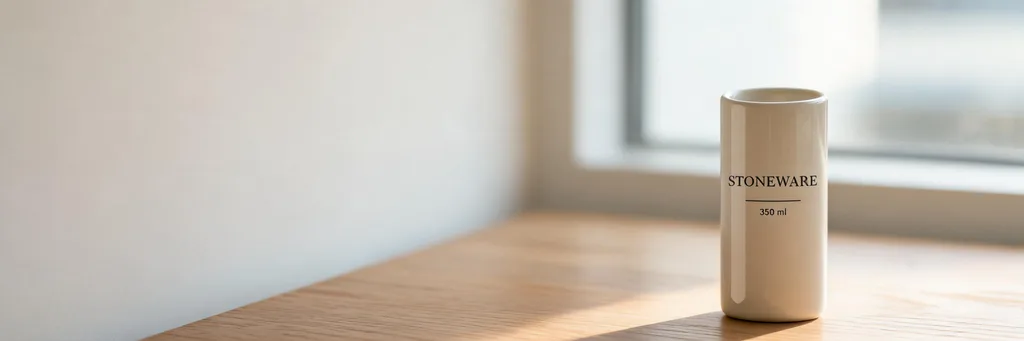
Substack、beehiiv 每期顶部那条 3:1 宽幅——主体靠右,左边留给标题。
用这个提示词生成上传一张商品照片:整件、光线均匀、背景干净。它会落在右侧三分之一,四周留点空间。
- 模型
- Seedream 5.0
- 用途
- 做封面
- 适用平台
- —
- 季节
- 全年通用
- 画幅
- 3:1
- 时长
- —
- 张数
- 1
- 输入
- 需你的照片
- 积分
- 30 积分
提示词
提示词原文是英文——模型按原文执行更准。直接复制或生成即可,不用自己先翻一遍。
Keep {product} exactly as photographed — same shape, proportions, colour and every label character; do not redraw or restyle it. Place it in a wide 3:1 newsletter header: the subject sits in the right third, resting on {surface}, lit by soft window light raking in from the left, with a calm horizontal composition across the frame. The left two-thirds stay quiet and low-detail — a smooth wall and open space, so a headline can be set there later. Muted editorial palette, 35mm look, shallow depth of field. No text, no logos, no watermark.
替换词
填好后,上面的提示词会自动换成英文。
替换词怎么填
| 占位符 | 含义 | 示例 | 常见错误 |
|---|---|---|---|
| {product} | 含义你要卖的那件东西本身 | 示例
| 常见错误写「一个漂亮的商品」——模型不知道是什么,会自己编一个瓶子出来 |
| {surface} | 含义背景或场景:主体之外的那一层 | 示例
| 常见错误只写「背景」两个字——不给材质和光线,出来就是一块没有细节的纯色 |
3:1 很宽,普通构图会空出一大片。主体靠右、左侧三分之二保持安静,否则标题没地方放。部分邮箱客户端在手机上会裁掉两侧,发送前先看预览。
披露提示
场景与光效由 AI 生成,商品为实际发货的实物。
 播客封面(55px 仍可辨)
 YouTube 缩略图(右侧留标题位)
 赛博朋克 · 城市夜景